 WIKI
WIKI
The taskbar idle loop
Task Bar Hero is designed to run in the background. The game window can shrink down to your Windows taskbar and keep fighting while you work or browse. The core loop is simple: your party clears a stage, enemies drop chests, chests give gear and materials, you turn those into power through the Cube and rune tree, and the stronger party clears faster. Your influence is entirely between fights — the combat itself runs on its own.
The three-hero auto-battle party
You field up to three heroes who fight automatically. You don't aim, dodge, or time abilities; the party uses its skills on its own. That means team composition and gear matter far more than reflexes. The reliable shape is a front-line tank, a damage dealer, and a support — see the class tier list for who fills each role. Extra party slots come from the Rune of Command, not from owning more classes.
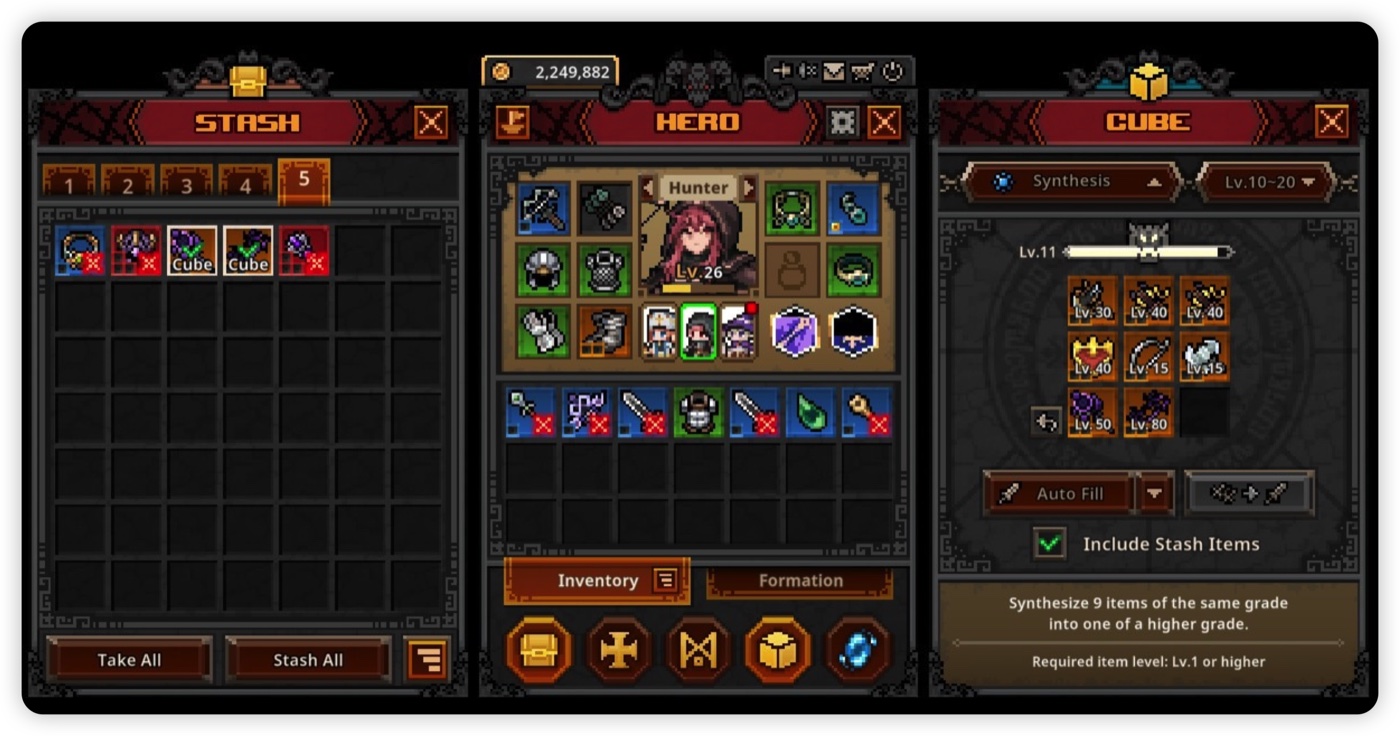
Chests are the economy
Almost everything you own starts as a chest. Regular enemies drop common chests; bosses drop rarer red chests with better loot. Because chests are the source of gear and crafting materials, anything that increases chest volume — clear speed, drop-rate bonuses, automation — compounds over time. This is the single most important thing to understand about progression: more chests opened = more power, and chests only appear while the game is running.
Offline vs AFK — the important distinction
These sound the same but behave very differently:
| State | What it means | Chests? | Rewards |
|---|---|---|---|
| AFK | Game open, often minimised to the taskbar | Yes | Full: kills, chest drops, and (with runes) auto-opening |
| Offline | Game fully closed | No | Only a small XP + gold trickle from the offline-reward rune |
Closing the game is not idling. Offline drops zero chests, so it can't supply gear or materials. If you want to make progress overnight, leave the game running minimised — not closed.
Automation — make AFK run itself
Fresh out of the gate you still have to open chests by hand. The Far North branch of the rune tree fixes that with auto-open runes — they pop common and boss chests on a cooldown so a minimised game farms hands-free. Combined with fast clears, this turns "leave it running" into genuine passive progress. A quick automation checklist:
- Unlock the offline-reward rune so closed time isn't fully wasted
- Unlock Far North auto-open (common chests first, then boss chests)
- Pick a stage your party clears quickly and reliably to maximise chest volume
- Leave the game minimised to the taskbar rather than closing it
Acts, difficulties and stage scaling
The campaign is organised as 3 acts, each replayable across 4 difficulty tiers — Normal, Nightmare, Hell and Torment — for roughly 120 stages in total. Each step up in difficulty sharply raises enemy levels and rewards. A single stage might sit around level 21 on Normal but jump into the 90s on Torment, so difficulty is the main long-term progression dial: out-gear a tier, push the next.
The final stage of each act is an Act Boss, which ties into the soul-stone system — covered in the bosses & soul stones guide. For the full act-by-act progression and how to break through a difficulty wall, see the stages & acts guide.
Window & UI hotkeys
Because the game reshapes itself to live in the taskbar, the window can occasionally end up off-screen or mis-scaled — most often after changing monitors. Two hotkeys fix the vast majority of cases while the game is running — and the full troubleshooting guide covers black-screen and crash fixes too:
| Hotkey | Fixes |
|---|---|
| Shift + F12 | Resets the window position (brings it back to your primary display) |
| Shift + F11 | Resets the UI scale |
If you hit the known "black background" issue on some setups, try pressing Shift+F12 then Shift+F11 in sequence; if it persists, right-click TaskBarHero.exe → Properties → Compatibility → enable "Disable fullscreen optimizations". Fixes evolve patch to patch, so check the official Discord for the latest.
FAQ
Does Task Bar Hero give offline rewards?
Yes but limited — the offline-reward rune trickles XP and gold while closed. Offline drops zero chests, so real gear only comes while the game is running.
What's the difference between offline and AFK?
AFK = game open (often minimised), still fighting and dropping chests. Offline = game closed, only the small reward trickle. Always prefer minimised over closed.
How many stages are there?
3 acts × 4 difficulties (Normal, Nightmare, Hell, Torment) ≈ 120 stages, with enemy levels scaling up steeply each difficulty.
The game window disappeared — how do I get it back?
Press Shift+F12 (reset position) and Shift+F11 (reset scale) while the game runs. This usually recovers an off-screen or mis-scaled window.
Stage counts, cooldowns and fixes can change between patches; treat specifics as current-patch guidance. Unofficial fan resource, not official Nugem Studio data.